How to set up Bing (and at the same time ChatGPT, Copilot, Edge, DuckDuckGo, and Yahoo) in 30 minutes
Step-by-step guide to register your site in Bing Webmaster Tools, enable IndexNow, and show up in ChatGPT, Copilot, AI Overviews, Edge, and DuckDuckGo.
Summary
- Configuring Bing = configuring 5 engines at once: Bing + ChatGPT browsing + Microsoft Copilot + Edge + DuckDuckGo + Yahoo. All consume Bing's index.
- Key steps (30 min): sign up to Bing Webmaster Tools, verify via meta-tag or DNS, submit the XML sitemap, enable IndexNow.
- IndexNow indexes new pages in hours, not weeks. WordPress plugins: Yoast or Rank Math with the key Bing generates.
- Already on GSC? Direct 1-click import to Bing Webmaster — no need to re-verify the domain.
- Typical result: first Bing clicks within 48-72h, peak at weeks 2-3.
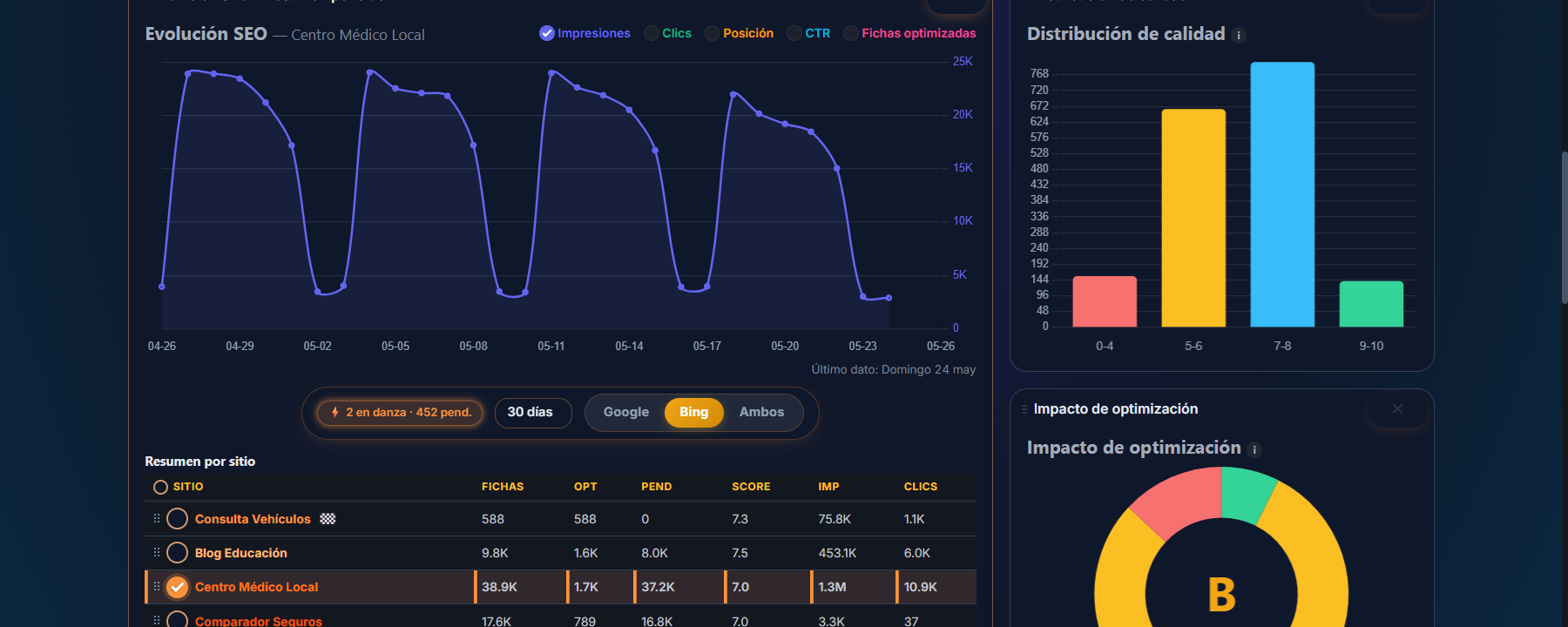
In the previous post we showed the data: Bing brings us almost 3x more SEO traffic than Google across our real sites. Today is the practical part: how to register your site with Bing and, at no extra cost, show up in ChatGPT, Copilot, AI Overviews, Edge, DuckDuckGo, Yahoo, and Brave Search.
If you didn’t read the previous post, the one-line summary: 74.5% of the SEO traffic on our 8 sites comes from Bing, not Google. And that’s not even counting the traffic flowing through ChatGPT and AI tools.
What you’re setting up with a single registration
When you register your site in Bing Webmaster Tools (BWT), you are opening the door to multiple platforms at the same time. Here is the full ecosystem that feeds on Bing’s index in 2026:
| Platform | How it consumes Bing |
|---|---|
| Bing.com | Direct engine, your main customer |
| ChatGPT search | When browsing and citing sources, it uses the Bing Search API |
| Microsoft Copilot | Bing is its default engine, inside and outside Windows |
| Edge sidebar / Discover | Suggestions and summaries use Bing |
| Bing Generative Search / AI Overviews | When Bing answers with AI, the sources come from its index |
| DuckDuckGo | Has its own crawler but heavily weights Bing’s results |
| Yahoo Search | Served by Bing since 2019 |
| Brave Search | Own crawler + Bing fallback when its own results are thin |
| Ecosia, Lilo, residual Qwant | Privacy-friendly layers powered by Bing behind the scenes |
With a single piece of work (BWT + IndexNow + clean sitemap) you cover this entire layer. It is the SEO with the best hours-worked / channels-covered ratio you can do today.
Prerequisites
Before you start:
- A Microsoft account (the same one you use for Outlook, Hotmail, Xbox, or any Microsoft service). If you don’t have one, create it free at
account.microsoft.com. - Access to your domain DNS (Cloudflare, Namecheap, wherever) — needed for a fast verification.
- Have Google Search Console already verified for your domain (saves you a step, you’ll see).
- 30 clean minutes.
Step 1 — Register your site with Bing Webmaster Tools
- Open https://www.bing.com/webmasters.
- Click Sign in → log in with your Microsoft account.
- The welcome screen offers two options for adding a site:
- Import from Google Search Console ← use this whenever possible
- Add manually
If you import from Google Search Console
This is the fast lane. Bing asks for permission to read your list of Google properties. Grant it, select your domain, and BWT adds it already verified in under 30 seconds. It also imports the sitemap and recent query history.
If you add it manually
Enter your main URL in the exact format (https://yourdomain.com, no trailing slash, no www if you don’t use www). Move on to step 2 to verify it.
Step 2 — Verify ownership
Three methods. Any of them work; pick the one that’s easiest for your setup.
Method A — TXT in DNS (cleanest)
- BWT shows you a TXT value like
MS=XXXXXXXX. - In your DNS panel (Cloudflare, etc.) create a record:
- Type:
TXT - Name:
@(or the root subdomain) - Value: the
MS=XXXBWT copied - TTL: Auto
- Type:
- Wait 2-5 minutes.
- In BWT click Verify. Done.
Method B — Upload HTML file
- BWT generates
BingSiteAuth.xml. - You upload it to your site root (it must be reachable at
https://yourdomain.com/BingSiteAuth.xml). - Click Verify.
Method C — Meta tag
- BWT gives you a tag
<meta name="msvalidate.01" content="...">. - Drop it into the
<head>of your home page. - Verify.
Recommendation: method A (DNS) because it doesn’t break if you change templates, doesn’t require uploading files, and works on every CMS without touching code.
Step 3 — Submit the sitemap
In BWT → Sitemaps → Submit sitemap → paste the full URL, e.g. https://yourdomain.com/sitemap.xml.
Bing starts crawling within hours. In 24-48h you’ll see the count of discovered pages in the dashboard.
If your CMS auto-generates the sitemap (WordPress + Yoast / Rank Math, Astro, Next.js with plugin, etc.) you don’t need to do anything else. If it doesn’t, create it and upload it manually.
Step 4 — Enable IndexNow (the part that actually changes things)
IndexNow is a protocol created by Microsoft and Yandex that lets you notify Bing instantly every time you publish, update, or delete a URL. Out of the box it is supported by Bing, Yandex, Naver, and Seznam.
Without IndexNow, Bing can take 1-7 days to rediscover your new URL. With IndexNow, hours.
How it works (technical summary)
- You generate a unique key (a random string).
- You publish it on your site at a path like
https://yourdomain.com/{your-key}.txtwith the key inside. - Every time you change content, you POST to
https://api.indexnow.org/indexnowwith the list of URLs. - Bing picks them up and crawls in minutes.
If you use WordPress (the most common case)
Any of these options does it automatically:
- Microsoft’s official IndexNow plugin: wordpress.org/plugins/indexnow. Install, activate, done.
- Yoast SEO (Premium): native integration.
- Rank Math: IndexNow module in the free version. Enable it in Modules → IndexNow.
Any of the three pings IndexNow automatically when you publish or edit posts/pages.
If you use Cloudflare
Cloudflare offers integrated IndexNow at the CDN layer. Enable it from the dashboard → Crawler Hints. Zero code, zero plugins, zero maintenance. Cloudflare sends pings to Bing whenever it detects changes in your HTML.
If your site is custom (Astro, Next.js, Hugo, etc.)
It is a POST to the endpoint:
POST https://api.indexnow.org/indexnow HTTP/1.1
Content-Type: application/json; charset=utf-8

{
  "host": "yourdomain.com",
  "key": "your-key-here",
  "urlList": [
    "https://yourdomain.com/new-post",
    "https://yourdomain.com/category/new-page"
  ]
}
Any post-deploy script can do this POST. In SeoNova we have it as scripts/notify-indexnow.mjs and it runs automatically after every npm run build of the public site.
Step 5 — Configure the important preferences in BWT
Once inside the panel, configure these four settings that most people ignore.
5.1 Geo-targeting
If your business serves mainly one country (e.g. Spain), mark it in Site preferences → Geo-targeting. Bing weights your URLs more positively when someone searches from that country.
5.2 Robots.txt tester
In URL inspection → Robots.txt tester paste a critical URL and verify Bing can crawl it. A lot of people block Bingbot by accident when they configure their robots.txt by copying random examples from the internet.
Heads up: Bing and Google interpret
robots.txtalmost identically, but Bing is slightly stricter withCrawl-delay(deprecated in Google, still honored in Bing). If you want to limit crawl rate, do it from BWT directly, NOT fromrobots.txt.
5.3 Backlinks
In Backlinks you’ll see the external links Bing has indexed. If they look clean, ignore. If you see massive spam links, use the Disavow Links tool (yes, Bing has it too, similar to Google’s).
5.4 Site Scan
BWT includes its own technical audit crawler. Go to Site Scan → New scan and let it crawl your site. In 30-60 minutes it gives you a report similar to Screaming Frog or Sitebulb for free, with detected technical problems (404s, broken redirects, duplicate meta descriptions, broken hreflang, etc.).
It’s a test almost nobody runs and that returns a full report in 5 clicks.
Step 6 — Bing-specific optimizations (not the same as Google’s)
Bing ranks with a different mix of signals than Google. What it likes most:
1. Exact keyword match in title and H1
Google long stopped weighting literal matches heavily and went all-in on intent. Bing still weights the exact keyword match in the <title> and <h1> quite a bit. If your post is called “How to set up Bing”, make sure it appears verbatim in title and H1.
2. Slightly higher keyword density
Where Google penalizes over-optimization, Bing tolerates higher densities (1.5-3 %) without penalizing. Don’t go nuts (don’t write “Bing” 30 times), but don’t be afraid to use it several times per section either.
3. Your domain track record
Bing values domain age more than Google does. If you’ve had the same domain for years and many pages indexed, you start with an edge.
4. Images with descriptive alt + filename
Bing Image Search is significantly better than Google Images in certain niches (recipes, products, travel). Alt text and filename count more.
5. PDF and Office documents
Bing crawls and indexes PDF, Word, and PowerPoint better than Google. If you publish whitepapers, guides, or catalogs as PDF, you’ll see them in Bing SERPs fast.
6. Structured data
Bing supports the same schema.org as Google (JSON-LD recommended), but renders different rich snippets. Its preferred formats in 2026:
ArticleandBlogPostingfor editorial contentProductwithOfferfor e-commerceLocalBusinessfor brick-and-mortarFAQPage(key — still active on Bing although Google scaled it back)HowTo(also still active on Bing)BreadcrumbListalways
If your site already has clean schema for Google, Bing benefits from it the same way. If you only focused on Google, double-check your FAQPage and HowTo — they still pay off on Bing.
Common mistakes to avoid
- Blocking Bingbot by accident. Some firewalls (Wordfence, Cloudflare with aggressive bot fight mode, etc.) block Bingbot thinking it’s a scraper. Verify in Crawl control → Crawl info that Bing is actually crawling. If you see 0 pages crawled in 7 days, check your firewall.
- Sitemap with non-canonical URLs. If your sitemap includes URLs with parameters (
?ref=abc) or duplicates with/without trailing slash, Bing discards them. Keep the sitemap clean: one canonical URL per piece of content. - Bulk-pinging IndexNow with thousands of URLs at once. The protocol caps at 10,000 URLs per POST, but the real rate is much lower. Better to send batches of 50-200 spread out in time. If you publish at scale (10k+ URLs), distribute across hours.
- Ignoring Bing Places. If your business is physical, Bing Places for Business is the equivalent of Google Business Profile, and a lot of secondary directories pull from it. 10 minutes to register and almost no one does it.
Workflow summary (copy and run)
- Microsoft account + go to
bing.com/webmasters - Add the site (import from Google Search Console if you have GSC, or manual)
- Verify via DNS TXT
- Submit sitemap (
/sitemap.xml) - Set country in Geo-targeting
- Enable IndexNow (WordPress plugin / Cloudflare / custom endpoint)
- Run Site Scan for a free technical audit
- Double-check title + H1 include the exact keyword on important posts
- Wait 5-10 days to see data in BWT
- Come back and review — the numbers will surprise you
What happens next
In the first 7-15 days you’ll see new impressions in BWT. From day 20-30 you should see real clicks. In 2 months, Bing traffic can equal or surpass Google traffic depending on the niche (you already saw the data in the previous post).
If you turned IndexNow on from day 1, new pages go from “published” to “indexed in Bing” in 2-24 hours versus the usual 1-4 weeks on Google. It’s the difference between ranking or not ranking fast-moving evergreen content.
SeoNova’s plan for all this
In SeoNova Directorio and WPO Toolkit (the two tools we’re pre-launching at seonova.pro) this entire process is automated:
- Add Bing Webmaster Tools properties from the panel
- Automatic IndexNow after every publish
- Bing impressions / clicks monitor next to Google in the same dashboard
- Integrated periodic Site Scan
- Clean schema generated for Bing and Google
If you’re interested, join the waitlist and when we launch you save yourself from setting all this up by hand.
Questions or anything not adding up? Email us at [email protected]. If your question is good, it ends up in the blog (without your name).
— The SeoNova team
Keep reading
More posts you might like
- Technical SEO
In 2026, Bing brings us nearly 3x more SEO traffic than Google. Here is the data.
Real data from 8 production sites: Bing delivers 74.5% of total SEO clicks. Why Bing outperforms Google in 2026 and what to do on your site.
6 min read - WordPress Security
Free Cloudflare: how to set it up and 5 WAF anti-bot rules for your WordPress
Why free Cloudflare is brutal, how to set it up step by step, and 5 WAF rules that block 60-70% of malicious bots without paying a cent.
9 min read - WordPress Security
WordPress Application Passwords: pros, risks, and a step-by-step guide to create one
What WordPress Application Passwords are, when to use them, risks, and a step-by-step guide to create and revoke one without your main password.
7 min read