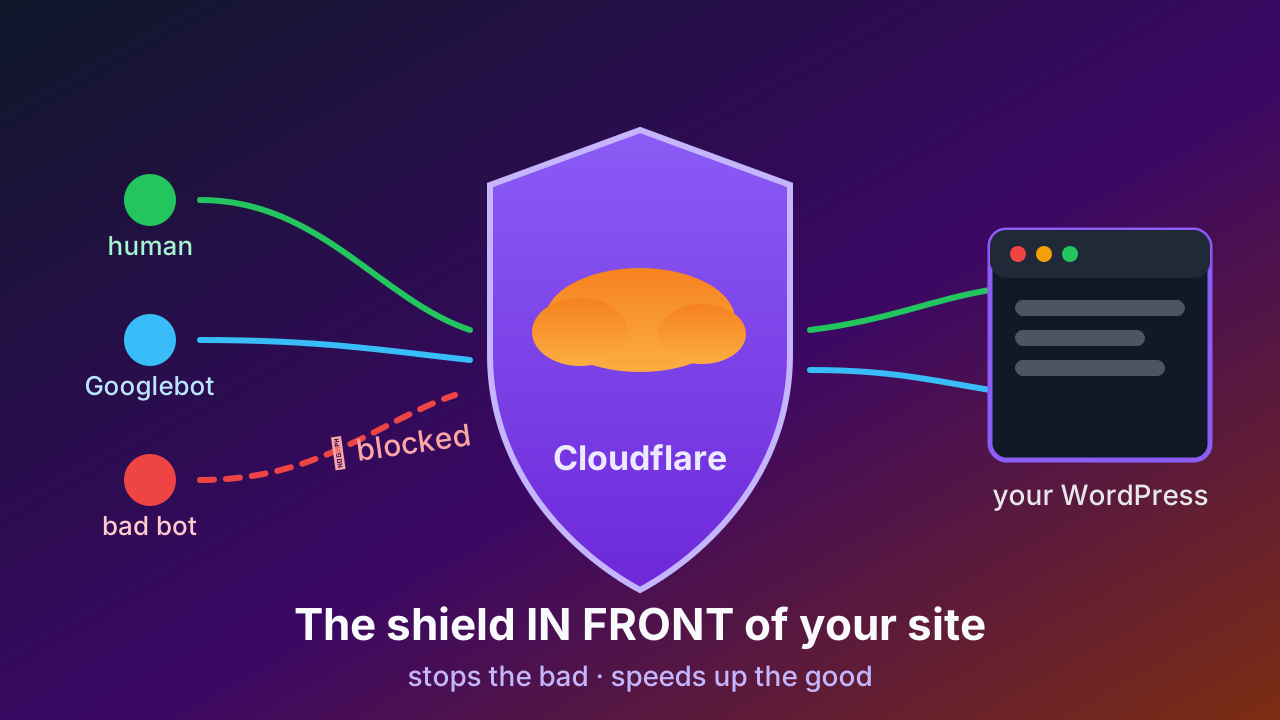
What Cloudflare does for your website (and when the Pro plan is worth paying for)
Plain-English guide: what Cloudflare is, what the free plan gives you, when the $20 Pro plan is worth it, and how it protects WordPress from bots.
Read post →Find a domain with authority (or reinforce the one you already have), build it a directory that writes itself with AI, and put a bouncer watching speed, security and ads. Three tools, one path.
👥 66 people on the waitlist
Each tool works on its own. Start with whichever step suits you best — together they are the complete path.

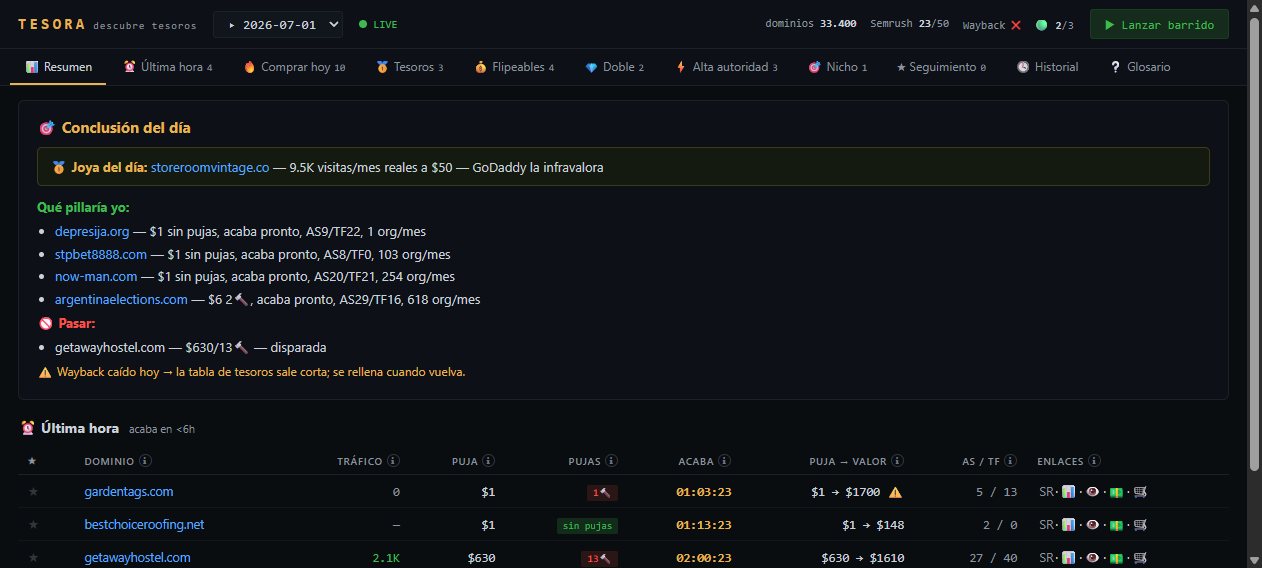
Find a domain with authority — or reinforce the one you already have.
Learn more

Listings with real data that write themselves. 300,000+ generated.
Learn more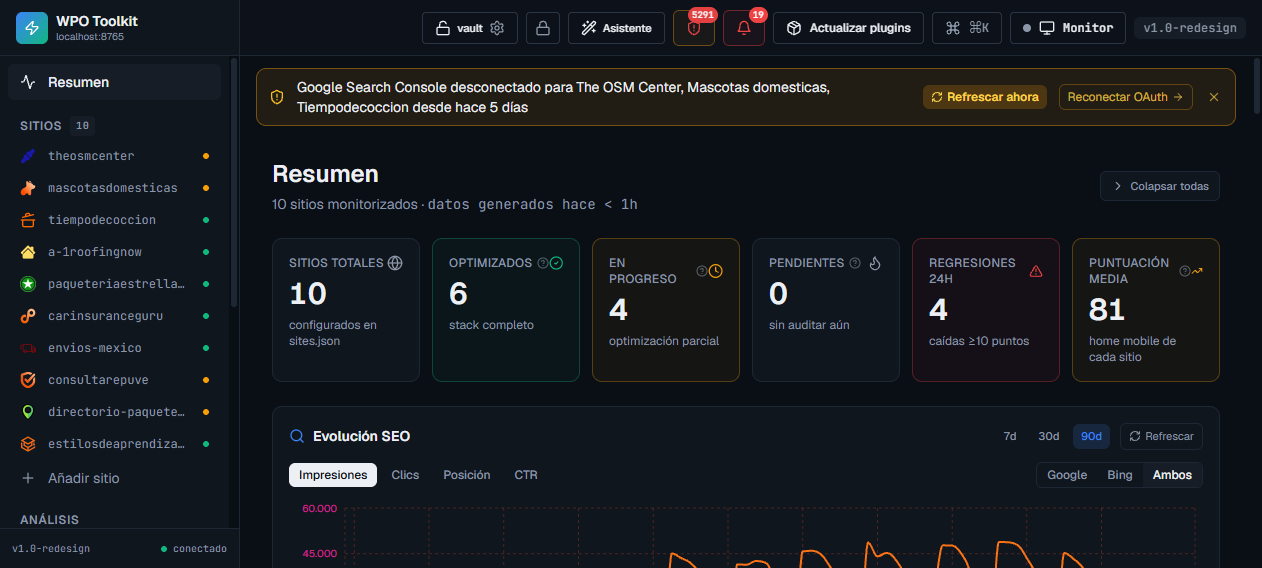
The bouncer: 2× speed, 24/7 security and ads placed right.
Learn moreA brand-new domain has no authority: Google takes months or years to trust it. Meanwhile, nobody finds you. Every day, domains with earned authority expire and go to auction for pennies — but finding them by hand is a lottery.
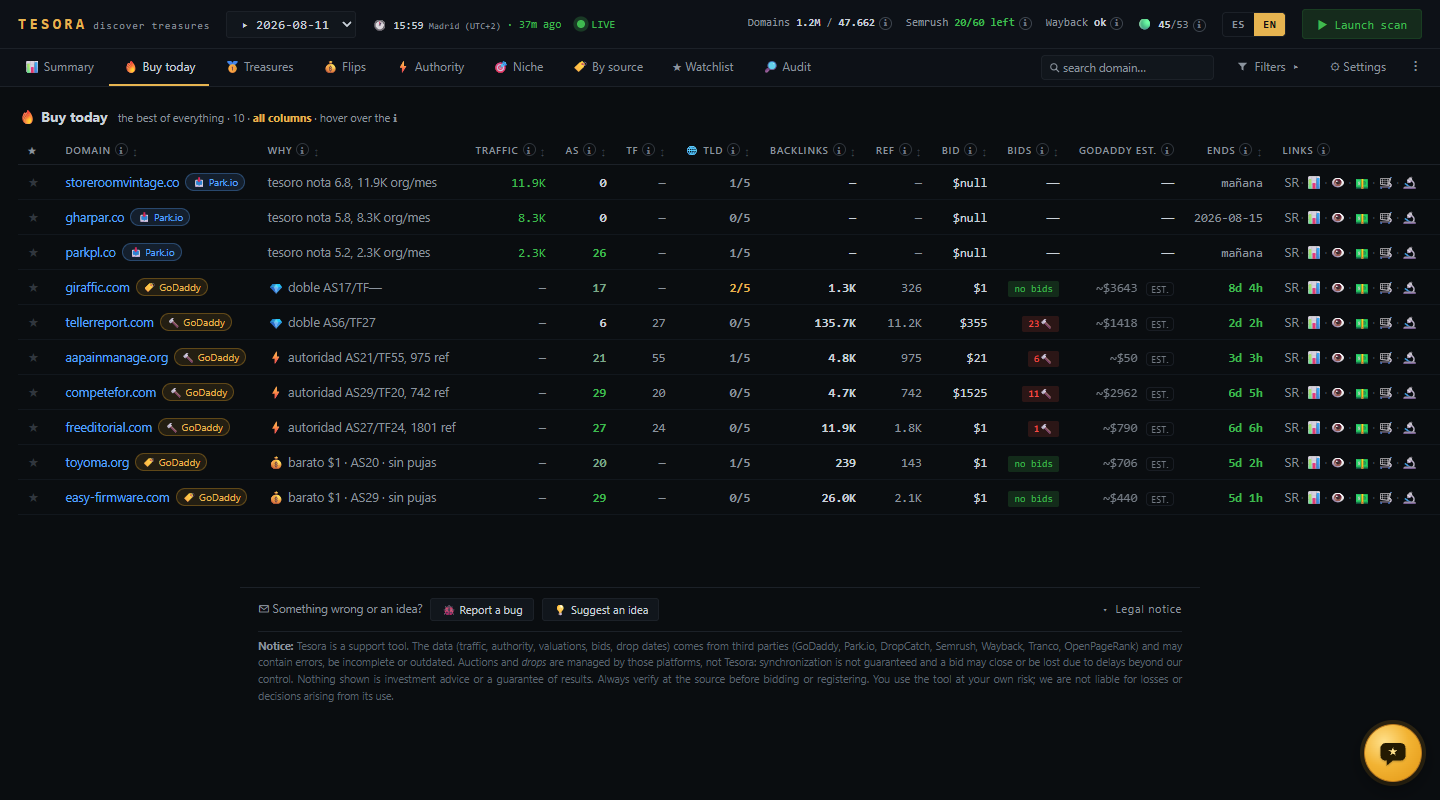
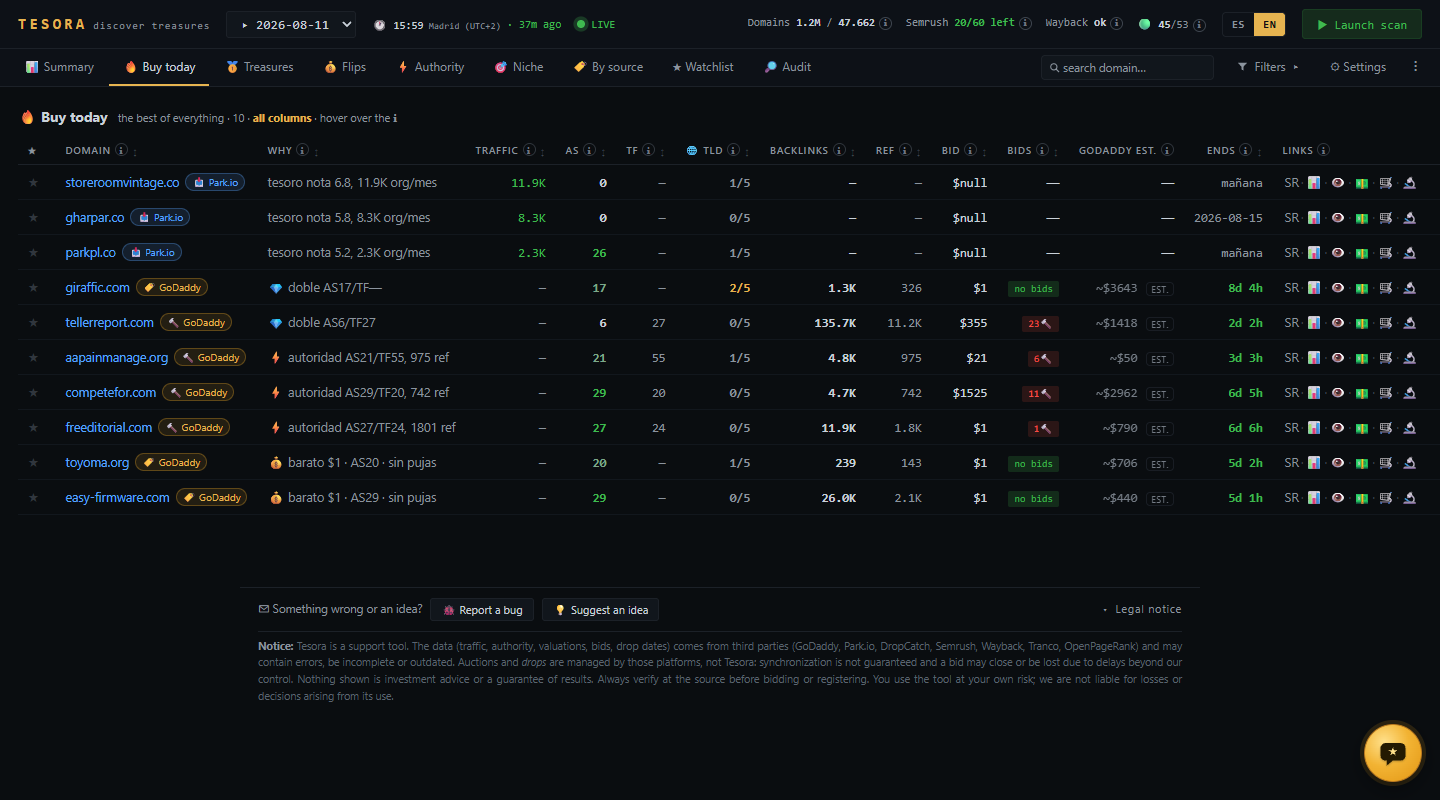
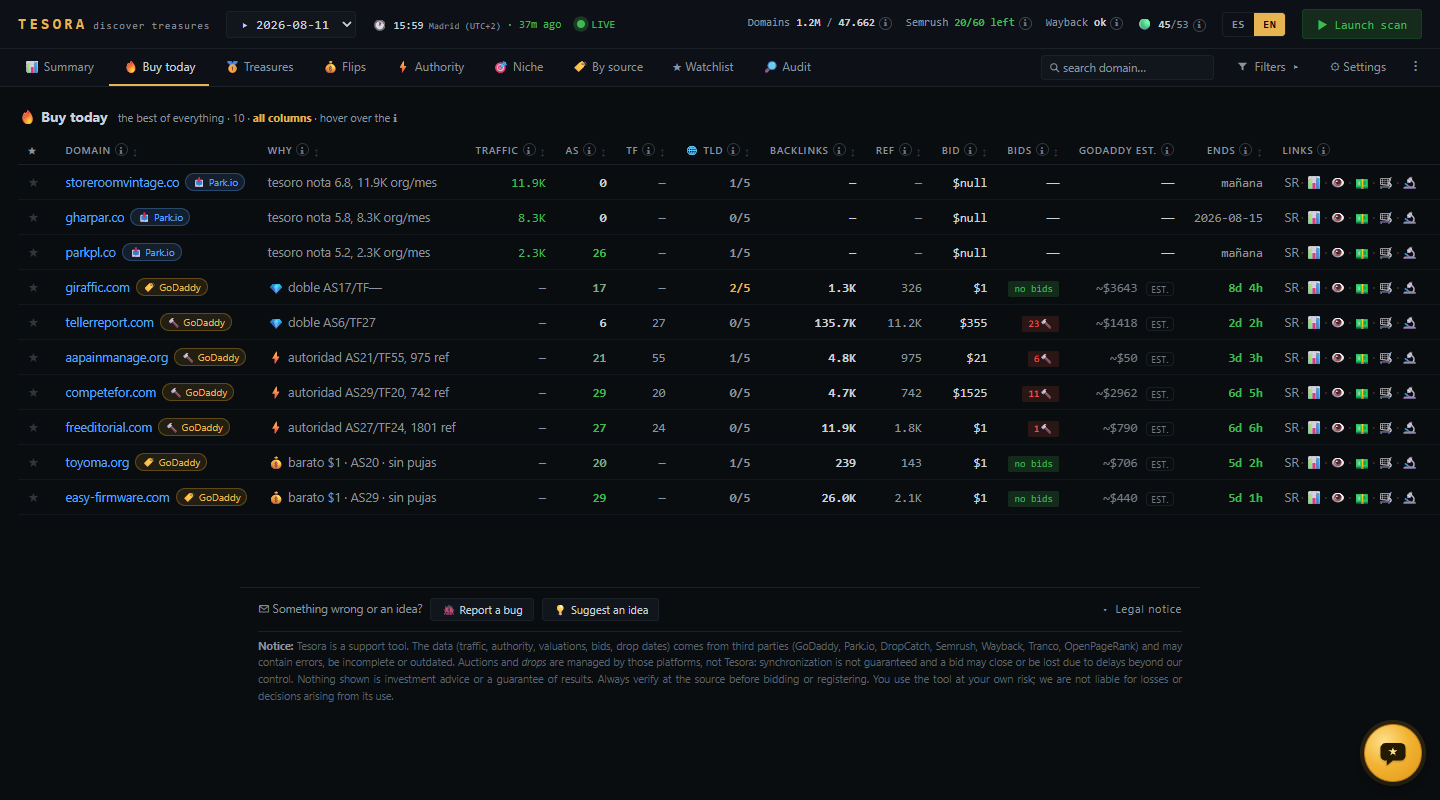
→ Tesora tracks them daily and tells you which ones are worth it and which to pass on.
A solid SEO listing takes 30-60 minutes by hand. For a 500-business directory that's 250-500 of your own hours. Outsource it to a writer and you're paying $2,000-5,000 with no guarantee of quality or real data.
→ Cantera does it for you with real data in seconds per listing.
Hosting bloated by bots, scrapers stealing your content to train AIs, ads blocked dropping your RPM, slow site losing positions on Google. And the fixes need 10 separate plugins that fight each other.
→ WPO Toolkit hits all 3 fronts (speed, performance, security) in one tool.
And we're building more SEO tools to be announced soon: a post rewriter connected to your Google Search Console, an AI image generator, an advanced schema manager, and more. All wired together and to your WordPress.
⏱️ ~15 minutes for simple setups. More if your stack is complex or plugin-heavy. Then a few details to tweak. We'll publish step-by-step videos on YouTube and link them here.
One click with OAuth. SeoNova detects your hosting, installed plugins, and current setup. No code or FTP needed.
For Tesora: nothing to connect — you get the daily domain report and you decide. For Cantera: you say category + location (e.g. "plumbers Madrid"). For WPO Toolkit: connect your Cloudflare in one more click and we turn on the 3 layers (speed, performance, security).
Cantera researches real businesses (website, social, Maps) and publishes SEO listings with schema. WPO Toolkit tunes speed, screens every visit, and filters bots, scrapers, and the people inflating your AdSense. 24/7, hands-off.
One panel: published and indexed listings, your site's real speed, % of users with AdBlock, hourly RPM, blocked visits, and alerts if anything breaks. Via email or Telegram.
No bots, no "we'll get back to you" tickets. You talk directly to the team building SeoNova. Response in under 24 hours, all business days.
We launch in Spanish and English. Need French, German, Portuguese, or anything else? We add it on request, no extra cost. Small markets deserve native-language tools too.
Technical SEO, WordPress, and real case studies — ideas we apply daily, backed by data.
Plain-English guide: what Cloudflare is, what the free plan gives you, when the $20 Pro plan is worth it, and how it protects WordPress from bots.
Read post →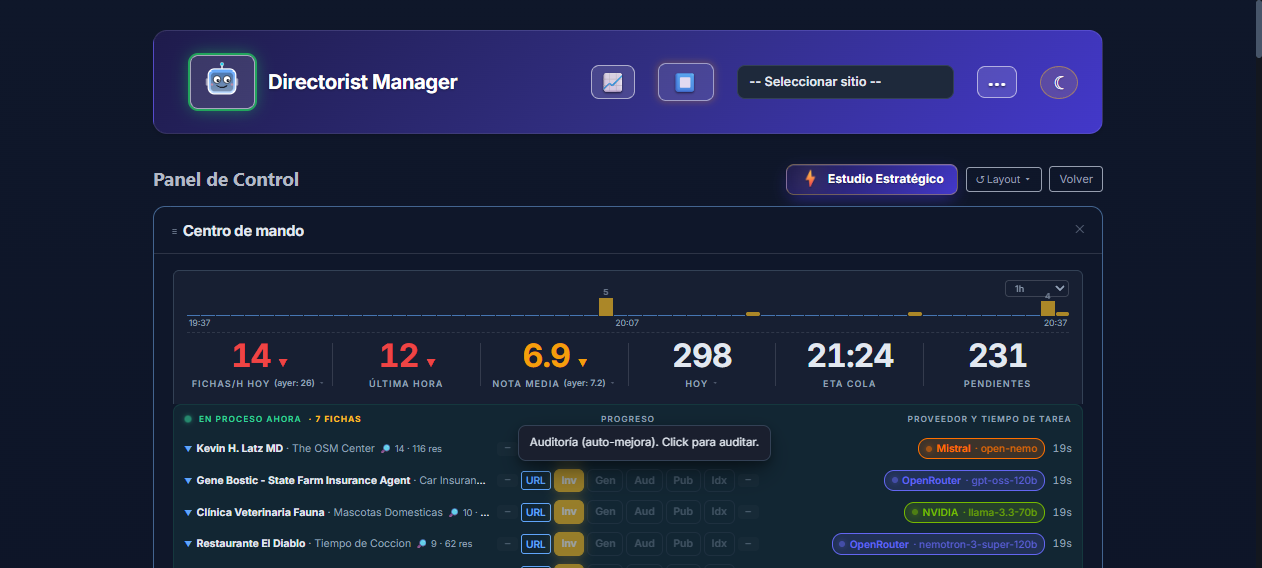
Getting started with Cantera: install it, connect your WordPress, add free AI keys and let it write and publish directory listings with real data.
Read post →
The free WordPress plugin that imports an expired site rescued from the internet archive into your site: pages, posts and images, as drafts.
Read post →No spam. Only relevant launch updates.